Showing posts with label the things. Show all posts

Tuesday, 1 May 2012

Schedule for CPD23 2012

Here are the Things that we will be exploring during the 23 Things for Professional Development course this summer.  There is real a mixture of stuff: some web 2.0 and/or social media gadgets and gizmos, and some  ways of developing your career by more 'traditional', less technology-focussed, means.  Throughout the programme will be emphasising how these Things can help your professional development, although you're likely to find lots of tools useful in other ways, too! We are taking the Things at a slightly slower pace this time around, although the original posts from last year will remain in place if you prefer to go at your own pace.

The Plan

Week 1 (7th May) - Blogging
  • Thing 1: Create your own blog, write about what you hope to get out of the programme. (If you already have a blog, then you're welcome to use that.)
  • Thing 2: Explore other blogs and get to know some of the other cpd23-ers.

Week 2 (14th May) - Online presence
  • Thing 3: Consider your personal brand

Week 3 (21st May) - Current awareness
  • Thing 4: RSS feeds, Twitter, Storify

Week 4 (28th May) - Reflection week
A bit of a breather to think about what we've covered so far.

Week 5 (4th June) - Online Networks
  • Thing 6: Online networks (LinkedIn, Facebook, LISNPN, LATNetwork, CILIP Communities)

Week 6 (11th June) - Real Life Networks
  • Thing 7: National/Regional groups, Special interest groups and looking outside the library sphere
Week 7 (18th June) - Organising yourself

Week 8 (25th June) - Catch up week

Week 9 (2nd July) - Librarianship training options
  • Thing 10: Graduate traineeships, Masters degrees, Chartership, Accreditation

Week 10 (9th July) - Librarianship training options continued

    Week 11 (16th July)-  Reflections
    • Thing 12: Putting the social into social media 

    Week 12 (23rd July) - Filesharing/Collaboration
    • Thing 13: Google Docs, Wikis & Dropbox

    Week 13 (30th July) - Organising your references
    • Thing 14: Zotero / Mendeley / citeulike

    Week 14 - (6th August) - Getting involved
    • Thing 15: Attending, presenting at and organising seminars, conferences and other events

      Week 15 (13th August) - Getting involved continued
      • Thing 16: Advocacy, speaking up for the profession and getting published

        Week 16 (20th August) - Presenting information
        • Thing 17: Prezi / data visualisation / slideshare

          Week 17 (27th August) - Presenting information continued
          • Thing 18: Jing / screen capture / podcasts (making and following them)

            Week 18 - (3rd September) - Reflection
            • Thing 19: Some time to think about how you might integrate the Things so far into your workflow and routines.

            Week 19 (10th September) - Catch up week

            Week 20 (17th September) - Careers 
            • Thing 20: Library Day in the Life and Library Routes/Roots 

            Week 21 (24th September) - Promoting yourself in job applications and at interview 
            • Thing 21: How to identify your strengths, how to capitalise on your interests, how to write something eyecatching that meets job specs. 
            Week 22 (1st October) - Volunteering
            • Thing 22: Volunteering to gain experience

              Week 23 (8th October) - Final reflection 
              • Thing 23: What have you learnt and where do you want to go from here?

              Monday, 18 July 2011

              Thing 7: Face-to-face networks and professional organisations

              Welcome to Thing 7! It’s time to talk about professional organisations: what they do, what the benefits are, and how and why you can get involved.

              What is a professional organisation?
              Well, they come in all different shapes and sizes! But at heart a professional organisation is a group of people joined by a common profession, which serves some purpose towards the furthering of that profession.

              They may be an official, subscription-based organisation such as CILIP, ALA or ARA, or they might be more informal, such as LISNPN or LIKE.

              What do they do?
              All sorts of things! Professional organisations will do some or all of the following:

              1. Provide opportunities for networking.
              One of the easiest ways to get started with professional networking is to join a professional organisation or group. The three professional benefits outlined by Helen in Thing 6 apply just as much to face-to-face networking as they do to online networking. Connecting with people through a professional organisation can help to advance your knowledge and career – as well as being a great way to meet new people and make friends! There will usually be networking opportunities available at all events – even if it’s just the chance to have a chat over lunch, make the most of it!

              Find it difficult to approach people face-to-face? You’re not the only one! Most people find it difficult to start a conversation. I’d recommend this post on Jo Alcock’s blog for some advice about how to get started.

              There are some chances this week for you to get involved with organisations in your area, practice networking – or just find out more about what’s going on! Meet-ups have been arranged in various places around the country – see here for a list.

              2. Provide opportunities for training and development

              Many organisations will run official training courses. These will usually be tailored to meet the needs of their members, and may be part of a professional development framework. They will also often run conferences, which are a great way to develop yourself, and meet new contacts and friends.

              As well as these formal training opportunities, professional organisations give you opportunities to develop your skills in other ways, such as learning informally from other members. You can also gain skills and experience from volunteering for a position within the organisation: you could join a committee; write for the newsletter/blog; organise events; get involved in a mentoring scheme. For instance, you might need to gain experience of handling finances and budgets – a committee treasurer position is a great way to do this.

              3. Provide structured professional development and qualifications

              Many professional organisations will have a structured professional development path. This may include accrediting or validating courses, including the professional qualification courses. In the UK, this is done by CILIP (libraries) and ARA (archives & records management). ALA does the same for library courses in the US, Canada, and Puerto Rico.

              They may also run Continuing Professional Development (CPD) schemes, resulting in a qualification, such as CILIP Certification and Chartershipand ARA Registration.

              4. Have formal publications

              These can range from peer-reviewed journals to magazines and newsletters, to blogs and podcasts. These provide you not only with the chance to learn from the content, but also to contribute!

              Associations may also run award schemes, provide advocacy and support, sponsor places at conferences, run current awareness and careers services – and much more! If your organisation isn’t providing the support or activities you need, why not contact them? You might be able to start something that will benefit you – and others!

              Why should you get involved?
              Being a member of a professional organisation gives you great opportunities, and the chance to benefit yourself and the profession. It can demonstrate that you are committed to the profession, and to your own personal and professional development. Membership gives you opportunities to help others, by sharing your knowledge and expertise, taking on a formal role on a committee, or taking part in a mentoring scheme. If the association is one which charges dues, these will help the association to continue their activities, and provide training and support to its members.

              So, what organisations are there?
              I can’t possibly supply an exhaustive list – if that’s what you’re looking for, IFLA publishes a ‘World Guide to Library, Archive and Information Science Associations’. If that’s a bit rich for your pocket, try a library! (Copac, WorldCat). The following is a selection of some of the organisations – and, if I’ve missed your favourite, why not leave a comment, or blog about it?

              When you’re looking at organisations, remember that they will usually have sub-divisions – called special interest groups, chapters, caucuses, divisions, round tables, groups, committees, units - just about anything you can think of! For many people, these specialist/regional groups will be their main point of contact with the organisation, so it’s always worth checking out sub-groups when you’re deciding whether an organisation is right for you. You will usually get membership to one or more of these groups as part of your membership of the organisation, and can add more for a small fee.

              Membership organisations:
              All of the following charge membership fees, usually on a sliding scale depending on your salary, and often with great deals for student members. You might even be able to get your workplace to pay for your membership, or claim the tax back on your tax return as a ’professional expense’. If none of them fit your budget, why not have a look at some of the free, informal associations? You also often don’t need to be a member to attend events, so if you’re thinking about joining, why not go along to a few events, and get a feel for the organisation?
               

              Library/info organisations:
              UK:
              CILIP: the Chartered Institute of Library and Information Professionals is the UK’s professional body for library and information workers. With 9 regional branches across England and home nations branches in Wales, Scotland and Ireland, and 27 special interest groups, from UkeiG to the Patent and Trademark group, to Career Development, CILIP provides a wide range of support and activities.

              ARA: the Archives & Records Association supports archivists, archive conservators, and records managers in the UK and Ireland. Sections include data standards and new professionals, and they run the Registration scheme, for formal CPD.

              SLA: The School Libraries Association (not to be confused with the Special Library Association!) supports, and promotes the value of , school libraries and librarians. They also run awards, courses, and provide online resources.

              IMRS: The Information and Records Management Society welcomes as members ‘all those who work in or are concerned with records or information management, regardless of their professional or organisational status or qualifications’. They run a bulletin, training, and a conference.

              ASLIB: The Association for Information Management provides training, along with an impressive portfolio of publications. Members are not necessarily librarians, with ASLIB’s portfolio being aimed at ‘people who manage information and knowledge in organizations’

              BIALL: The British and Irish Association of Law Librarians represents legal information professionals and suppliers. They provide information and support for those interested in/already pursuing a career in legal information work, including a ‘how do I?’ wiki, publications, and conferences.

              Worldwide:

              IFLA: With around 1600 members in 150 countries, the International Federation of Library Associations is truly an international organisation. Most library associations are members of IFLA, and you can also join as a personal member. IFLA publishes internationally-renowned guidelines and reports, and has relationships with other world bodies such as UNESCO, the UN, and the World Trade Organisation. They have a wonderfully diverse range of special interest groups and sections.

              SLA: the Special Libraries Association is based in the US, but has chapters all over the world, including a very active European Chapter. The divisions and caucuses provide support for professionals in a wide variety of fields and areas of interest – including a baseball caucus! Members don’t just come from special libraries, and many cite networking opportunities as one of their main reasons for joining.

              ALA: the American Library Association also has members all over the world. They accredit US, Canadian, and Puerto Rican library courses, and run 2 big conferences every year: ALA Midwinter and ALA Annual – featuring book cart rallies!

              AIIP: the Association of Independent Information Professionals represents and supports independent information professionals worldwide, with e-learning tools, publications, conferences, and special deals with vendors. The association is also open to those who are considering going independent or starting their own business.

              SAA: The Society of American Archivists account for many of the different names for sub-sections! With committees, sub-committees, sections, roundtables, student groups, and task forces, there are plenty of opportunities for involvement in a number of areas.

              Non-library/info organisations
              Many information professionals are also members of professional organisations outside the LIS sphere. These are a great way to gain skills and contacts from other professions, and widen your viewpoint.

              HEA: Librarians who do a lot of teaching may wish to become members of the Higher Education Academy, which provides resources and support for teachers in the HE sector.

              The Chartered Management Institute provides managers and leaders with opportunities for online learning, networking, and structured CPD.

              CIM: the Chartered Institute for Marketing is celebrating its centenary in 2011. With levels of membership that cover novice to fellow, they also offer the chance to become a chartered marketer.

              If you’re working/supporting users in a particular field, you might like to see if membership of their professional body is open to you, perhaps as an affiliate member.

              Informal organisations:
              The Library Society of the World describe themselves as ‘a world-spanning group of library professionals and library advocates, dedicated to furthering the role of librarians, archivists, information professionals, and information educators through communication and collaboration. The LSW is about people, not buildings (although some of us think architecture is sexy). It’s about friendship, not organization. It’s about creating and fostering opportunities, not building barriers and divisions.’ They have professional development material, a set of priorities that will chime with even the most jaded info pro, and a distinguished list of ‘Shovers and Makers’.

              LISNPN: The LIS New Professionals Network started online (and was mentioned in Thing 6 by Helen as such), but has graduated to face-to-face events. Open to anyone with an interest in being or supporting new professionals, the network has discussion forums, resources, and recently ran an advocacy competition.

              LIKE: The London Information and Knowledge Exchange meet monthly to ‘share stories, learn and exchange knowledge in an informal and relaxed setting.’. They run a variety of events – the next, LIKE27 on 28th July, is a guided walk of London, with an optional guided tour of the Guardian’s offices and Information and Archives service!

              Hack Library School: By, for, and about library school students, Hack Library School is another group that started out online. Hack Library School also now has face-to-face meet-ups, including one at this year’s ALA Annual Conference in New Orleans.

              What now?
              Absorbed all that? Good! Your task for this week’s Thing is to consider your experiences with professional organisations, and blog about it! What involvement have you had? How has it affected your career? What have you learned? Why are/aren’t you a member? Extra credit for investigating a new organisation or group!

              Monday, 4 July 2011

              Thing 4: Current awareness - Twitter, RSS and Pushnote

              Welcome to Thing 4! In this Thing we'll explore a few tools that will help you to keep up-to-date and aware of goings on in the library and information world. The three tools we have chosen to explore are Twitter, RSS feeds and Pushnote. However if there are any other tools you use for a similar purpose, feel free tell us all about it when you blog about this Thing!

              Twitter
              Twitter is a micro-blogging service that allows you to publish short updates of up to 140 characters. Users follow other users to subscribe to each other's updates. All the updates from the users you follow will be aggregated in to one timeline that appears when you log in to the site.

              Although a common belief is that Twitter is filled with celebrities tweeting about what they had for lunch, in reality few users actually use the service to send updates about the minutiae of their everyday activities, instead preferring to use it to network and share ideas or interesting things they have seen around the web. This is what makes Twitter such a valuable tool for those of us wanting to improve our current awareness.

              If you already have an account, skip this paragraph! If you don't already use Twitter, follow the easy steps below to create your account and begin tweeting:
              1. Go to www.twitter.com and click the yellow "sign up" button and follow the steps to create an account.
              2. Once you have created your account you will be taken to your Twitter homepage where you can update your profile to include a short biography, a link to your blog and a profile picture. We recommend that you leave the Twitter Privacy box unchecked because this means other CPD23 participants can read your tweets. You can always change this at any time.
              3. Now post your first update. Click in the status box at the top of the screen where you see the question "What's happening?" Write a comment, maybe something about your participation in the 23 Things programme. You are restricted to 140 characters, and as you type you will see the number at the top right of the box decrease. Leave enough characters to add #cpd23 at the end. This is known as a hashtag and allows Twitter users to group tweets by subject. By adding #cpd23 to your tweet your comment will be picked up by other participants. Once you click "Update", this tweet will be added to your timeline, and anyone who follows you will be able to see your tweet.
              4. Search for @CPD23 (or click here) and click "follow". Now our tweets will appear in your timeline!
              Being able to view all updates using a particular hashtag has made Twitter a valuable tool for following conferences. For example, if you wished you'd had the chance to go to SLA's 2011 conference, here are all the tweets from conference-goers: #sla2011. Another use for the hashtag is for holding real-time Twitter chats on a particular topic. A great example of this is #libchat, the brainchild of @NatalieBinder which is held every Wednesday at 8-9.30pm EST.

              Once you have been tweeting for a while and have built up a few followers, Twitter can be really handy for asking questions. To help me with this blog post I asked my followers who their top 3 Twitter accounts were for LIS news and information. (I also asked them to "retweet" this message - commonly abbreviated as "RT" - so that it reached more people.) Based on the results of this, here are a few lists of people you might like to follow for starters, then why not try finding a few yourself! If you find someone interesting, take a look at who they follow and go from there. But follow as many or as few people as you personally can manage - current awareness is good but information overload is bad!

              RSS
              RSS (commonly known as Really Simple Syndication) allows you to view new content from web sites, blog entries, etc in one place, without having to visit the individual sites. This obviously makes following library news and developments a lot easier, as all the news comes to you!

              The first step you need to take when subscribing to RSS feeds is to sign up for a feed reader. There are many available but for the purposes of this programme we will use Google Reader as you have already created an account with Google. As an example of how to subscribe to a feed, let's get you subscribed to the CPD23 blog. In the right sidebar of this blog there is a "Subscribe to..." box. Click on the arrow next to "Posts", and click "Add to Google". This should take you to your Google Reader (you may need to sign in with your Google account) and you can then subscribe to this feed. From now on, whenever we post something new it will come straight to your Reader, eliminating the need to keep checking the site. You can subscribe to other blogs and news sites in a similar way, even if they don't have a subscribe button embedded in their site, most web browsers will have an RSS button - this may be up by the address bar, or in Firefox 4 this is in the bookmarks menu.

              Here is a handy bundle of all the CPD23 blogs:
              RSS feed of all CPD23 participants (this version, courtesy of Shannon Robalino, is one single feed will all the participants' posts in it)
              RSS bundle of CPD23 participants (this version will load the 600+ blogs separately into your reader)


              And here are a few of my favourite blogs for keeping abreast of library news and trends (again, explore for yourself, follow your interests etc!) -

              Pushnote
              Pushnote is a tool that allows you to rate and comment on any website. If any of your Twitter or Facebook friends use Pushnote as well, you can add them as a friend, and then share pages with them. You can also choose to automatically post your comments to Twitter and/or Facebook if you want to share them with a wider audience. They have a handy set of FAQs on their website here: http://pushnote.com/faq

              To sign up, go to www.pushnote.com, fill in your details and click sign up. You'll then have to download a browser add-on. Once this has downloaded you will have a new star button up by the address bar on your browser. Click on this to rate and comment on the page you are viewing, and see comments other people have left. The star will turn green when other people have commented on a page, and will turn red when your friends have commented or shared a page with you.

              Unfortunately, at the time of writing, Pushnote is only available for Firefox, Chrome and Safari browsers.

              What to do now!
              To complete this Thing, blog about your experiences with these tools. Which did you find most useful and why? Have you come across any blogs or twitter accounts that you've found particularly useful for current awareness? Have other CPD23 particpants been sharing helpful pages via Pushnote?

              Images in this post by IconTexto on IconFinder.com

              Monday, 20 June 2011

              Thing 2: Investigate some other blogs

              (This is Thing 2 in the programme. If you've not done so already, start off at Thing 1, here.)

              Now you've set off with your own blogging, it's time to meet the neighbours: see who else is taking part and what they're saying. 

              First of all, you need to let other people know that you're taking part.  Do that by completing the 23 Things for Professional Development registration form.

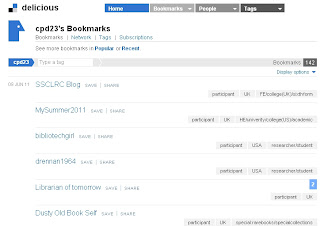
              Screenshot of the cpd23 Delicious bookmarks
              At the time of writing we already have over 100 blogs signed up: you can see an alphabetical list on our participants page. You probably don't have time to visit them all, so you can refine your choices using the country and sector tags on our Delicious bookmarks. EDITED 29/9/11 After recent changes to Delicious, our participants are now also listed on Diigo, where they are currently easier to browse.

              If you think you've signed up, but don't appear in the Delicious list after a day or two, leave a comment here and we'll check what's happened.

              Now, make sure that people can comment on your blog. In Blogger, look in the 'settings' tab for the 'comments' option. It's a good idea to say yes to 'show word verification for comments', because that helps to stop spam comments. If you say yes to 'comment moderation', you will receive an email (to the address specified) when someone comments - and you will have to approve the comment before it appears publicly on your blog.

              Lastly, go and visit some blogs, read some posts and leave some comments to let the authors know what you thought. What did you enjoy about their post? Do you have similar or contrasting experience to share?

              Being able to comment and discuss ideas is what makes blogging - and social media in general - so useful and valuable as a tool for personal and professional development. Comments on your own blog can offer advice and support, they might point you towards useful resources, or they might challenge your opinions and help you refine your arguments. By commenting on other people's blog you're likely to think more deeply about what you've read and what you think about an issue, you'll also be able to share some of your expertise, and you'll get your face (or, at least your moniker) more widely known.  It can be daunting to comment on the blog of someone you may never have met, but do take the plunge, even if it's just to say hello, or to say that you enjoyed a post.

              To finish Thing 2, once you've explored the cpd23 neighbourhood a little, write a post on your blog about what you've read and who you've met.

              Further Reading:
              If you'd like to investigate the wider world of library and librarian blogging, then why not investigate the UK Library Blogs/Bloggers Wiki, and if you know of similar sources from librarians elsewhere in the world, let us know in the comments.

              EDITED 29 Sep. 2011: Delicious has implemented a lot of changes in the last few days which make it pretty hard to navigate the cpd23 blogs.  You can now browse the participants on Diigo, a different bookmarking site.

              Thing 1: Blogs and blogging

              Welcome to 23 Things for Professional Development! This is Thing Number 1.

              In this Thing you will create your own blog (if you don't have one already) and will think and write about why you're taking part in 23 Things for Professional Development and what you're hoping to get out of it.

              If you're already a happy, confident blogger, you can skip to What to write for Thing 1 below. Otherwise, keep reading for step-by-step blogging instructions.

              Why blog?
              Before we get to the how, a very few words on the why of blogging. Lots of new bloggers feel a bit strange writing down their thoughts and publishing them online for anyone to see.  It might seem like a rather vain thing to do.  But there are several reasons why blogging is a useful cpd tool:
              • blogging about what you've seen or done is a way of incorporating reflective practice into your professional life. We'll be talking more about reflective practice in Thing 5.
              • more prosaically, blogging about events will help you remember them more clearly in the future, and that's useful for job applications and when working towards qualifications.
              • you will positively impact on other people's development by blogging your ideas and experiences - professional engagement isn't just about your development, but it's also about sharing what you know with others.
              • by sharing your ideas and knowledge you'll get to meet new people and develop a wider professional network.
              How to blog
              There are various blogging platforms available online. Some of the most commonly used are Blogger, Wordpress, Tumblr, and Posterous. You're welcome to use any blogging platform that you like, but we're giving instructions here for Blogger, because it's quite easy to use.

              Instructions

              This video from Blogger shows you what to do. There are written instructions below, too, if you prefer those.


              Click to enlarge
              1. Go to http://www.blogger.com.
              2. If you already have a Google account and you'd like your blog to be linked to that, then sign in and proceed to step three. Otherwise, click on 'Get started'.
                1. Fill in the details on the 'Create an account' page.  When you've completed all the details click 'save. You should get a confirmation email to the email address you supplied.
              3. You should now be on the Blogger 'dashboard' page. It has two main parts - your profile, and your blogs. Investigate the 'edit profile' option and note that you can change the visibility of your name, email address and any profile picture you upload. You can change these settings at any time.
              4. When you've set up your profile as you want, click on 'create your blog now'
              5. Fill in the required details on each page. All the options, including blog title, URL and the template design, can be changed later.
              6. You should now be given the option to make your first post. Posting is pretty straightforward - note that you have the option to write your post in html, or to use the 'compose' option. 'Compose' is much more straightforward - it's like using a wordprocessor, but if you have html knowledge you might sometimes want to tinker with the html of a post.  Options for adding links, images and formatting are available across the top of the editing box.
              7. When you've written a post you can preview it, save it for later, and, using the orange button, publish it online.
              8. If you have any questions, please ask them in the comments to this post, and someone will be along to try and help out.
              What to write for Thing 1
              To start off your cpd23 blogging write a post about why you're taking part in the course. You could talk about where your career is now and where you'd like it to go, what you're hoping to learn from cpd23, which of the Things you're most (or least) looking forward to, how you feel about being a new blogger or how you'd like to improve your blogging, or anything else that relates to why you're doing this!

              You'll notice that in whichever blogging platform you're using, there's normally an option to 'label' or 'tag' your post. Please tag your cpd23 posts with (you've guessed it) 'cpd23', in addition to anything else you'd like to use, so that you, we and the great wide world, can keep a track of your cpd23 progress!

              And finally...
              If you'd like to read more on this topic you could do worse than to look at Ned Potter's 'Everything you've ever wanted to know about library blogs and blogging!' and follow the links he suggests.

              This week there are two Things to do. Thing 2 will be along shortly.

              Friday, 10 June 2011

              cpd23 Calendar

              Inspired by a comment from Tom Roper, we've made a public Google Calendar listing all the Things and when they're happening, as well as a few events at which the cpd23 team are presenting.  You can see the calendar below, as a widget on the right-hand side of the cpd23 blog, and at the web address https://www.google.com/calendar/embed?src=profdev23%40gmail.com&ctz=Europe/London


              Feel free to add this to your own calendar (it should work for Google Calendars and iCal), so that you don't  forget a single cpd23 Thing!

              If you're new to Google Calendar and aren't sure how it works, we'll be explaining more about it in Thing 8, on 25 July.

              Monday, 16 May 2011

              The cpd23 Things

              Here are the Things that we will be exploring during the 23 Things for Professional Development course this summer.  There is real a mixture of stuff: some web 2.0 and/or social media gadgets and gizmos, and some  ways of developing your career by more 'traditional', less technology-focussed, means.  Throughout the programme will be emphasising how these Things can help your professional development, although you're likely to find lots of tools useful in other ways, too!

              The Plan

              Week 1 (20th June) - Blogging
              • Thing 1: Create your own blog, write about what you hope to get out of the programme. (If you already have a blog, then you're welcome to use that.)
              • Thing 2: Explore other blogs and get to know some of the other cpd23-ers.

              Week 2 (27th June) - Online presence
              • Thing 3: Consider your personal brand

              Week 3 (4th July) - Current awareness
              • Thing 4: RSS feeds, Twitter, Pushnote

              Week 4 (11th July) - Reflection week
              A bit of a breather to think about what we've covered so far.

              Week 5 - (18th July) Online Networks / Real Life Networks
              • Thing 6: Online networks (LinkedIn, Facebook, LISNPN, LATNetwork, CILIP Communities)
              • Thing 7: National/Regional groups, Special interest groups and looking outside the library sphere

              Week 6 - (25th July) Organising yourself

              Week 7 - (1st August) Librarianship training options
              • Thing 10: Graduate traineeships, Masters degrees, Chartership, Accreditation
              • Thing 11: Mentoring

              Week 8 - (8th August) Catch-up week / reflections
              • Thing 12: Putting the social into social media 

              Week 9 - (15th August) Filesharing/Collaboration

              Week 10 - (22nd August) Organising your references
              • Thing 14: Zotero / Mendeley / citeulike

              Week 11 - (29th August) Getting involved
              • Thing 15: Attending, presenting at and organising seminars, conferences and other events
              • Thing 16: Advocacy, speaking up for the profession and getting published.

              Week 12 - (5th September) Presenting information
              • Thing 17: Prezi / data visualisation / slideshare [postponed until Monday 19th September]
              • Thing 18: Jing / screen capture / podcasts (making and following them)

              Week 13 - (12th September) Catch-up week / reflection
              • Thing 19: Some time to think about how you might integrate the Things so far into your workflow and routines.
              Week 14 - (19th September) Extra catch-up week and Thing 17
              Week 15 - (26th September) Careers 
              • Thing 20: Library Day in the Life and Library Routes/Roots 

              Week 16 - (3rd October) Promoting yourself in job applications and at interview 
              • Thing 21: How to identify your strengths, how to capitalise on your interests, how to write something eyecatching that meets job specs. 
              • Thing 22: Volunteering to get experience 

              Week 17 - (10th October) Final reflection 
              • Thing 23: What have you learnt and where do you want to go from here?

              Once you've finished

              There are some great guest bloggers lined up to contribute to the programme - details of those to follow soon!